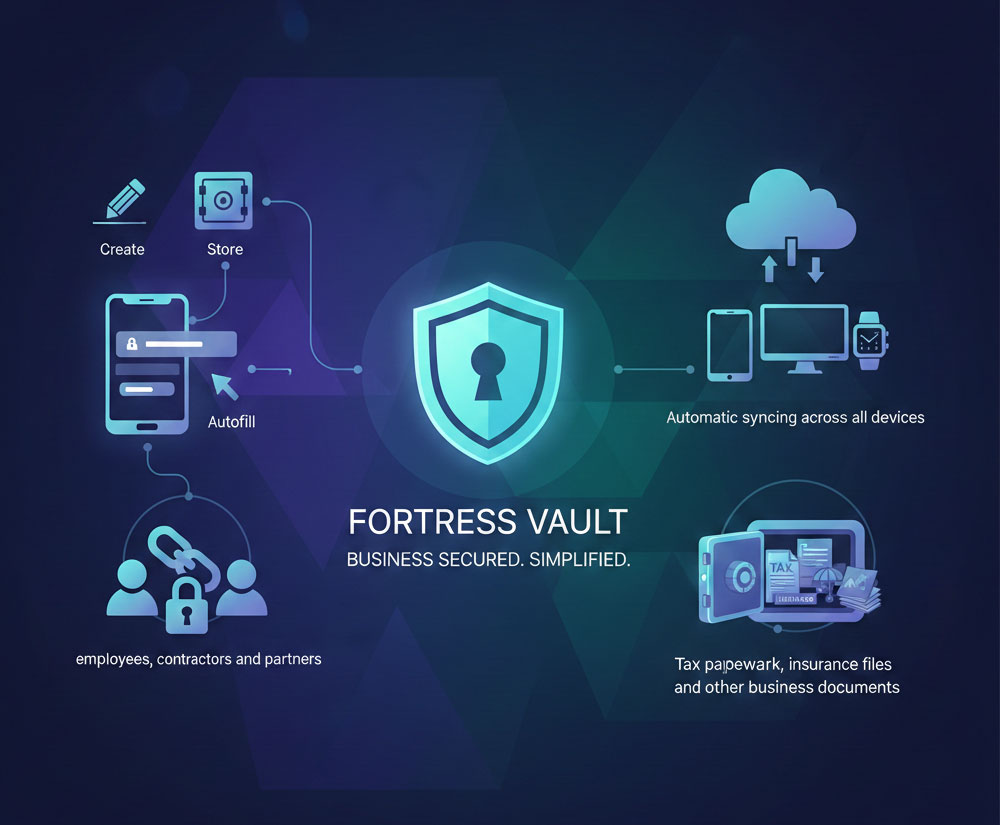
Discover the suite of cybersecurity features that make securing your digital life as easy as possible. From personal password vaults to business directory integrations, VMP™ Pass provides the password management tools you need.
Store all your passwords and sensitive information in an encrypted vault on your device.
Explore password vault →Save a password once and it autofills it everywhere you need it with just one log in.
Explore save and autofill →Enhance your security and simplify authentication by taking sign-ins faster, easier, and more secure across your favorite apps and websites.
Explore Passkeys →Create secure passwords by auto-generating random passwords for new and existing accounts.
Explore password generator →Generate unique and secure usernames to protect your identity online.
Explore username generator →Get alerts and immediately alert you if any of your personal information is found on the dark web.
Explore dark web monitoring →Get notified of weak, reused, and old passwords with personalized recommendations and alerts.
Explore security dashboard →Share passwords and documents with your friends, employees and contractors without compromising security practices.
Explore password sharing →Securely share passwords with family and friends while managing and controlling access.
Explore personal password sharing →Safely share business passwords with team members, contractors, and vendors.
Explore business password sharing →Save a password on one device and it syncs across all of your logged devices.
Explore automatic device sync →Grant a trusted contact or loved one access to your password vault in case of an emergency.
Explore emergency access →Store and track notes for your personal use, like PIN codes, server logins, working info, and more.
Explore secure notes →Leave a copy of your vault to be behind in case of an emergency.
Explore digital will →Seamlessly access your password vault without typing out your master password.
Explore passwordless login →Control your company's security, accounts, and policies from one platform.
Explore user management →Take immediate action to protect your SaaS usage. Issue fix alerts by easily access to risky apps, and seamlessly manage accounts.
Explore SaaS Protect →Integrate VMP™ Pass with your existing user directory for automated user management.
Explore directory integration →Simplify your team experience by letting users to log in with their federated identity credentials.
Explore federated login →Monitor and track MFA on your team for streamlined logins and enhanced security.
Explore workstation login →Replace Chrome's built-in password manager with the VMP™ Pass extension.
Explore Google Chrome autofill →Create, save, and autofill credentials on Android devices across all your favorite apps.
Explore Android autofill →Bring the full capacity of autofills to your logins, passwords, credit card and other apps in iPad.
Explore iOS autofill →Access your autofills quick and conveniently while browsing in Safari.
Explore Safari autofill →Review your VMP™ Pass vault and all the sites within a while browsing in Mozilla Firefox.
Explore Mozilla Firefox autofill →Store all your passwords and sensitive information in an encrypted vault on your device.
Explore password vault →Save a password once and it autofills it everywhere you need it with just one log in.
Explore save and autofill →Enhance your security and simplify authentication by taking sign-ins faster, easier, and more secure across your favorite apps and websites.
Explore Passkeys →Create secure passwords by auto-generating random passwords for new and existing accounts.
Explore password generator →Generate unique and secure usernames to protect your identity online.
Explore username generator →Get alerts and immediately alert you if any of your personal information is found on the dark web.
Explore dark web monitoring →Get notified of weak, reused, and old passwords with personalized recommendations and alerts.
Explore security dashboard →Share passwords and documents with your friends, employees and contractors without compromising security practices.
Explore password sharing →Securely share passwords with family and friends while managing and controlling access.
Explore personal password sharing →Save a password on one device and it syncs across all of your logged devices.
Explore automatic device sync →Grant a trusted contact or loved one access to your password vault in case of an emergency.
Explore emergency access →Store and track notes for your personal use, like PIN codes, server logins, working info, and more.
Explore secure notes →Leave a copy of your vault to be behind in case of an emergency.
Explore digital will →Replace Chrome's built-in password manager with the VMP™ Pass extension.
Explore Google Chrome autofill →Create, save, and autofill credentials on Android devices across all your favorite apps.
Explore Android autofill →Bring the full capacity of autofills to your logins, passwords, credit card and other apps in iPad.
Explore iOS autofill →Access your autofills quick and conveniently while browsing in Safari.
Explore Safari autofill →Review your VMP™ Pass vault and all the sites within a while browsing in Mozilla Firefox.
Explore Mozilla Firefox autofill →Control your company's security, accounts, and policies from one platform.
Explore user management →Take immediate action to protect your SaaS usage. Issue fix alerts by easily access to risky apps, and seamlessly manage accounts.
Explore SaaS Protect →Seamlessly access your password vault without typing out your master password.
Explore passwordless login →Integrate VMP™ Pass with your existing user directory for automated user management.
Explore directory integration →Simplify your team experience by letting users to log in with their federated identity credentials.
Explore federated login →Monitor and track MFA on your team for streamlined logins and enhanced security.
Explore workstation login →Safely share business passwords with team members, contractors, and vendors.
Explore business password sharing →